
Website redesign projects promise fresh starts and better results. Yet many businesses run into common pitfalls that hurt traffic, rankings, and conversions.
The problem is rarely the design or development work itself. More often, it comes down to planning decisions made early on, before anyone stops to consider what already works and needs to be protected.
This article breaks down the most common website redesign mistakes businesses make and explains how they affect traffic, SEO rankings, and conversion rates. If you want your next redesign to improve performance instead of resetting it, this is where to start.
Skipping Strategy Before Starting Design
Website redesign mistakes start when teams jump straight to aesthetics without defining clear business goals first. We’ve seen Brisbane retail sites spend $15K on a redesign without ever asking why their contact forms weren’t converting. The new design looked great, but didn’t fix the actual problem. This happens when the strategy gets skipped:
- No Clear Outcomes Defined: Teams jump into visuals without defining what success looks like. Should the redesign increase leads by 30%? Reduce bounce rates? Without these targets upfront, everyone just fixates on fonts and layouts instead.
- Surface Problems Get Priority: The project becomes about refreshing the look instead of fixing real issues like poor lead generation or high bounce rates. You end up solving problems that don’t exist while ignoring the ones costing you sales.
- Success Can’t Be Measured: The new site launches looking great, but nobody can tell if it’s actually working better. Without baseline metrics and clear goals, you can’t track whether the redesign improved conversions or just changed colours.
Strategy work feels tedious upfront, but it’s what separates redesigns that drive results from ones that just look different.
So what do businesses get wrong about website redesigns? Let’s take a closer look.
Why Web Developers Need a Seat at the Table

Picture planning a kitchen renovation without asking the plumber whether your dream layout actually works with the existing pipes. That’s often what happens when web developers are left out of early redesign conversations. Here’s what goes wrong:
- Unrealistic Plans Take Shape: Designers and marketers sketch out features that look simple on screen but turn out to be far more complex once development starts. What feels like a small change can blow up timelines and budgets.
- Surprises Show Up Halfway Through: Without technical input early on, problems tend to surface mid-project. By then, teams are already committed to a direction, which makes changes painful and expensive.
- Developers End Up Taking the Blame: When plans fall apart, development teams are often handed expectations they didn’t help set. Frustration builds, deadlines slip, and the project slows down.
Bringing web developers into planning early keeps ideas realistic, avoids late-stage surprises, and makes the whole redesign process run far more smoothly.
Search Engine Rankings Take a Hit During Redesigns
We’ve seen this happen more times than it should. During redesigns, teams often get so focused on layout and visuals that SEO slips off the checklist. Pages that took months to rank can disappear from search results almost overnight. In some cases, traffic drops sharply within days of launch.
This usually happens in a few predictable ways.
Missing URL Redirects
One of the most common mistakes is forgetting to redirect old URLs to their new versions. Pages that ranked well suddenly start returning 404 errors, and search traffic falls fast.
Even when pages move successfully, their metadata often gets lost in the transition. Meta descriptions vanish, leaving Google to guess what pages are about. Without proper metadata, search engines treat these as brand new pages with zero authority, so rankings reset.
Broken Site Structure
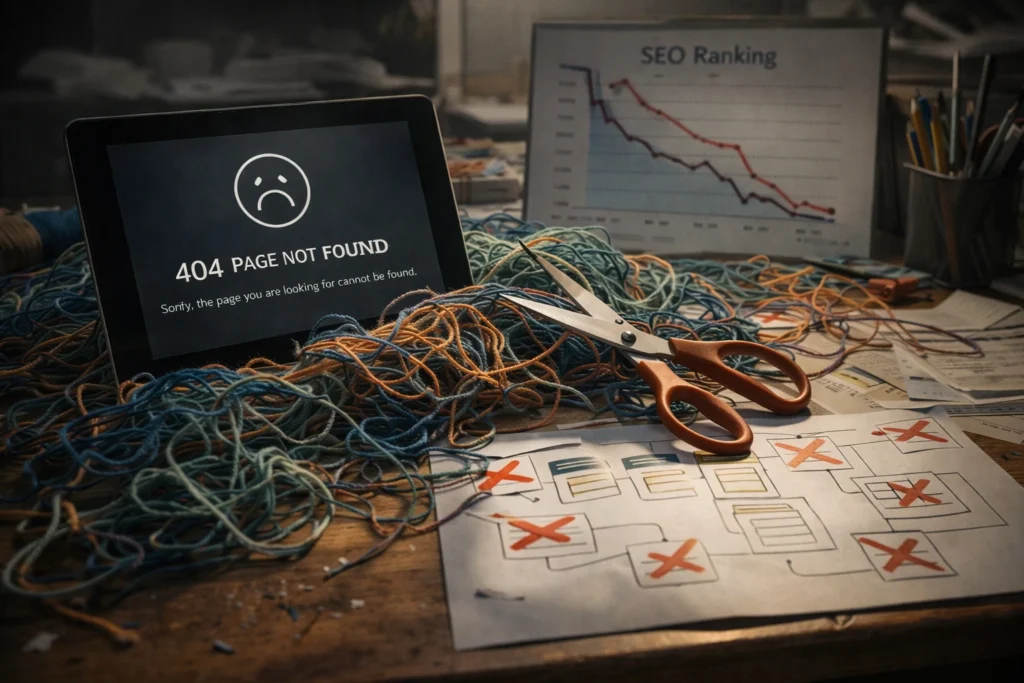
Redesigns often bury important pages deeper in the navigation without considering SEO impact. When a page moves from one click away to three clicks deep, both users and crawlers struggle to find it.
Internal linking gets rebuilt carelessly, too, which breaks the connections between related pages. These links used to pass ranking authority around your site, but that flow gets interrupted during the redesign.
Lost Rich Snippet Markup
Structured data is another casualty of redesigns. When schema markup doesn’t make it to the new site, rich snippets disappear from search results. That visual advantage you worked to earn is gone, even though competitors keep theirs.
Protecting these SEO elements during redesign prevents the traffic drops most businesses only discover after launch.
Mobile Testing Gets Left Behind
Google uses mobile-first indexing, which means your mobile site plays a major role in rankings. Yet many teams still focus on desktop testing and assume mobile will sort itself out. If it works on a big screen, phones should be fine too, right? Not always. Mobile issues often surface after launch, when real users start running into problems.
- Touch Targets Fail on Mobile: Buttons you can click perfectly with a mouse become impossible to tap accurately on a phone. Mobile devices need touch targets at least 44×44 pixels with adequate spacing between them. Smaller targets force users to zoom in just to tap a button, which is exactly the kind of friction that sends them back to Google to find a better site.
- Load Times Kill Conversions: Your site loads in 2 seconds on office WiFi, but mobile users on 4G networks wait 10 seconds for the same page. Google’s own research shows 53% of mobile users abandon sites that take longer than 3 seconds to load. What feels fast in testing becomes a conversion killer in the real world.
- Real Devices Reveal Problems: Your site might look perfect when tested in Chrome’s device simulator, but real devices often tell a different story. Try a real iPhone 12, and you might see the navigation menu overlapping the content. On a Samsung Galaxy, images may not scale properly. Across different screen sizes and devices, layout problems show up that simulators simply don’t catch.
- Responsive Design Gets Treated as Optional: Without building mobile first, sites feel like desktop designs crammed onto smaller screens. True responsive design needs planning from the start, not added as an afterthought when mobile users struggle.
Testing on multiple platforms early prevents the frustration of discovering broken mobile experiences after launch.
When User Interface Problems Go Unnoticed

User interface problems are hard to spot when you’re the one building the site. Your team knows exactly where everything is because you’ve been staring at it for weeks. First-time visitors don’t have that advantage.
For example, navigation menus that feel obvious to you can completely confuse someone landing on your homepage for the first time. Think about it. They might be looking for your services page, but the menu says “Solutions.” Or maybe they want pricing, but it’s buried under “Plans & Packages.” So they leave for a competitor’s site that makes things easier to find.
Call-to-action buttons get lost in the design, too. When they don’t stand out visually from the rest of the page, users scroll right past them. You built a path you expect people to follow, but real visitors bounce around randomly and hit dead ends.
The fix is testing with people who’ve never seen your site before. Watch where they click, where they get stuck, and where they give up. Those pain points become obvious once someone outside your team actually tries to use it.
Google Analytics Setup Falls Through the Cracks
What good is a beautiful redesign if you can’t measure whether it’s actually working? Frankly, this one stings the most. Google Analytics tracking often gets configured incorrectly or forgotten entirely during website redesign projects. You’re essentially back to square one with your performance data when that happens. The most common issues show up in three areas:
- Tracking Codes Get Missed: If you don’t install analytics tracking codes properly on the new site, you’ll have weeks of blind spots in your performance data. You won’t see where users come from, which pages they visit, or where they drop off.
- Goals Need Rebuilding: Let’s say you had goal tracking set up to measure form submissions or button clicks on the old site. Those triggers don’t automatically carry over to the new design, but they’re often forgotten until someone notices the conversion data has stopped flowing.
- Historical Data Gets Lost: Your historical data is like a roadmap showing what worked and what didn’t. But losing proper tracking continuity means you can’t compare the new site’s performance to the old one. You’re left guessing whether the redesign actually improved user engagement or made things worse.
The fix is simple but often overlooked: set up Google Analytics and test all tracking before launch, not after real users start hitting the site.
Security and Cyber Threats During Website Changes

Security risks often increase during website redesigns when teams focus on visuals and overlook basic protection. A common issue is outdated plugins carrying over to the new site because no one checks for known vulnerabilities. They may still function, but they open doors for attacks.
SSL certificates are another frequent problem. If they aren’t renewed or configured correctly, browsers display warnings like “Your connection is not private,” which drives visitors away instantly.
Fresh installs introduce their own risks when security isn’t locked down early. Servers ship with default passwords, backups go untested, and updates get postponed until after launch. Each oversight leaves the site exposed to problems that could have been avoided during development.
Security should be part of the development process from day one, not something you patch up after problems appear.
Ready to Redesign Without the Regrets?
Website redesign projects don’t have to end in traffic drops or lost conversions. The issues covered above are avoidable when planning starts before design work begins, developers join early conversations, and SEO stays protected throughout the process.
Start by auditing what’s already working on your site so you don’t accidentally break it. Test across mobile devices, set up tracking properly, and include security checks even when launch deadlines feel tight.
If you want help planning a website redesign without the common pitfalls, JDDST’s Brisbane-based team can guide you through the process. Contact us today for a free consultation.